







How to Complete the Application Form
Application Guide
How to Complete the Application Form
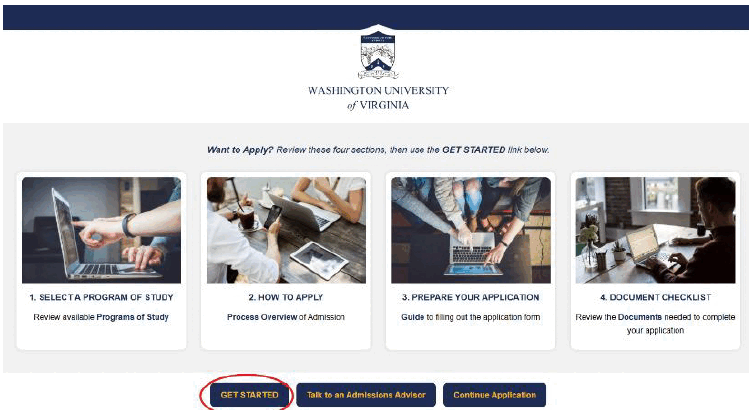
Want to Apply? Please select the “Apply Now” option.
If you would like to start your application right away, please select “Get Started”
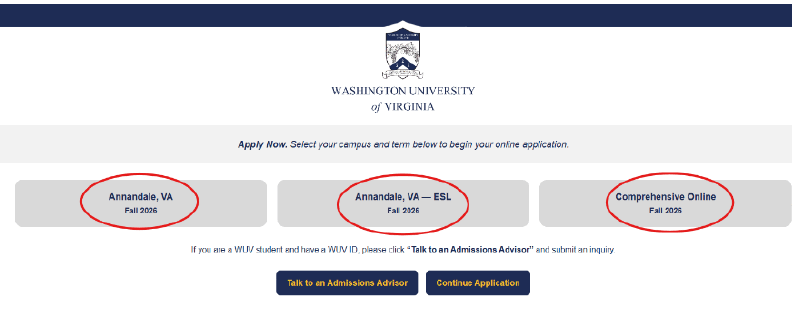
Please select your campus and term to begin your application.
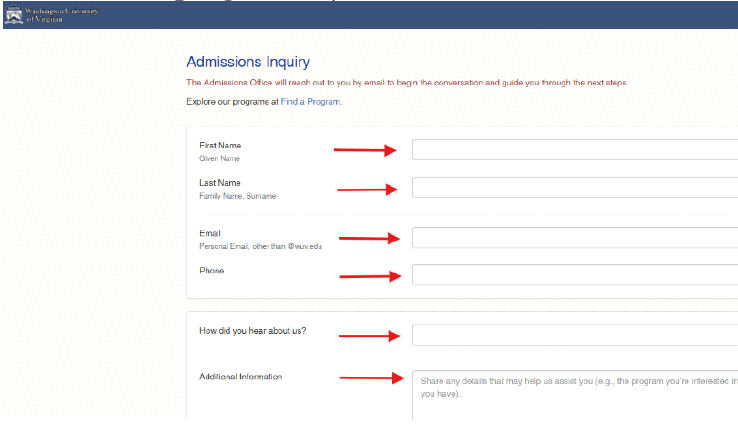
If you haven't decided which program to apply for yet, please select “Talk to an Admissions Advisor”
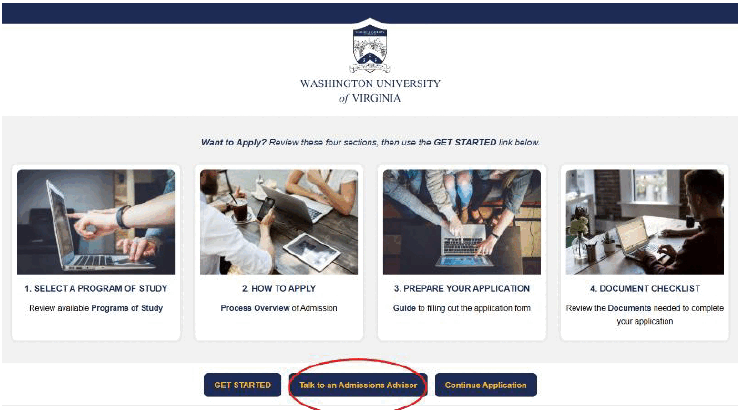
Please submit an inquiry and let us know which program(s) you’re interested in.
-
2
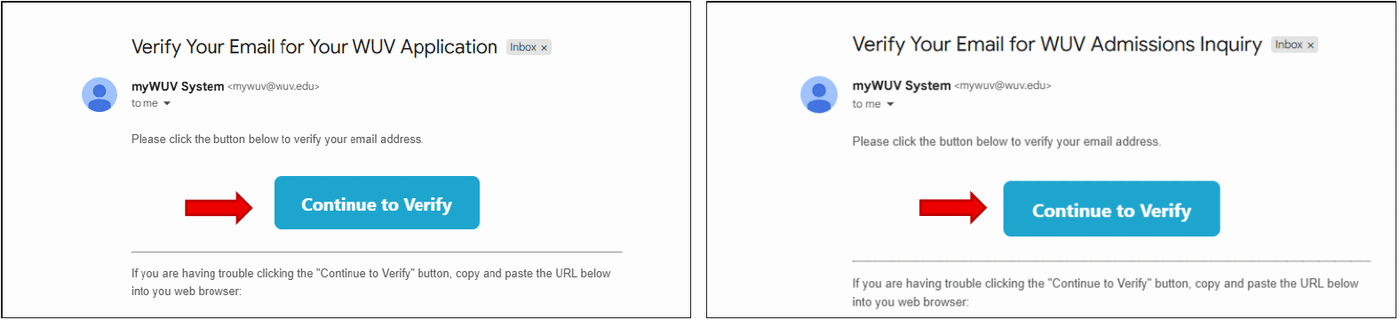
Check your email inbox or spam folder and verify your email address.
-
3
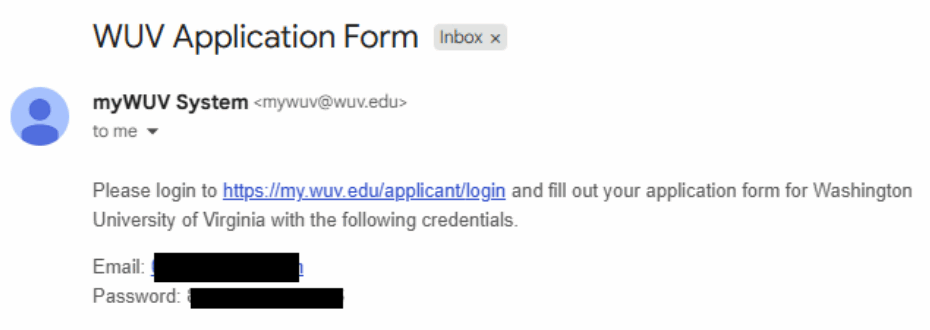
If you requested an Application, you’ll receive your application portal credentials to begin.
- If you submitted an Inquiry, an admissions advisor will contact you within 1-2 business days.
- NOTE: We cannot send the application form without your email verification.
-
4
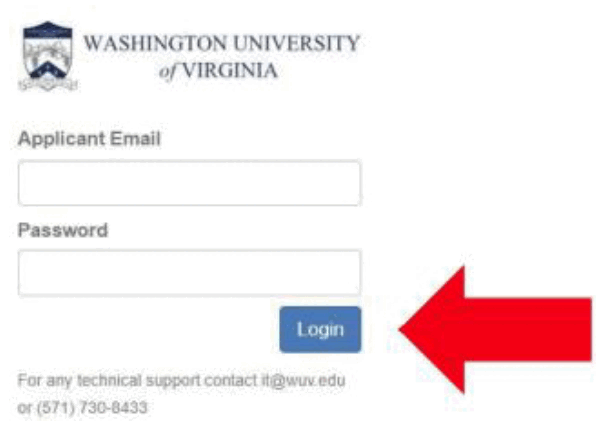
Go to https://my.wuv.edu/applicant/login to access your application using your email and temporary password provided.
-
5
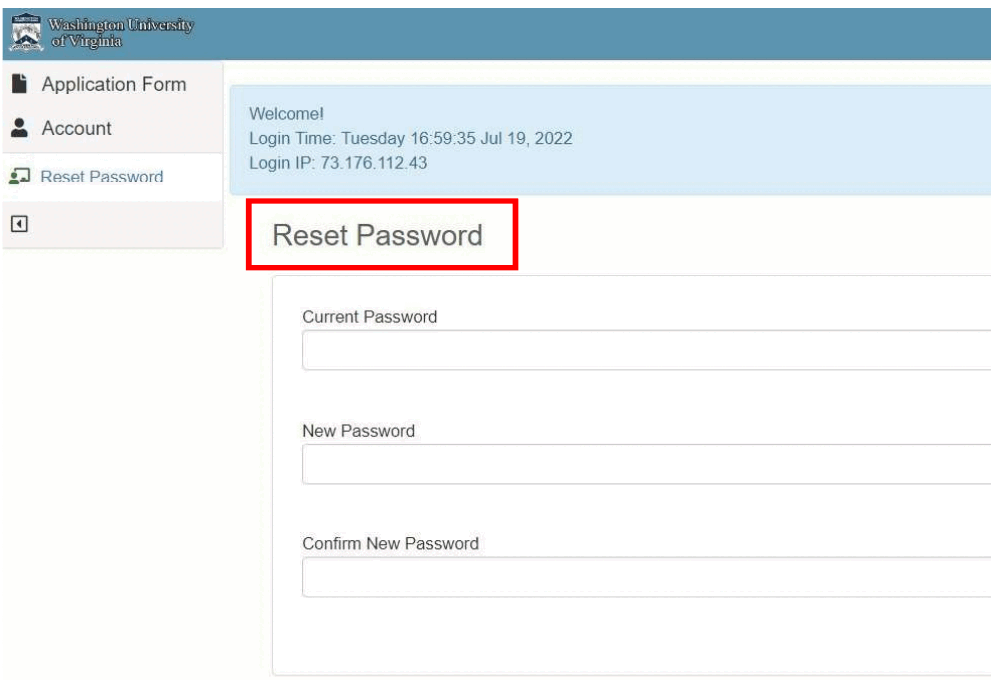
Reset your password
-
6
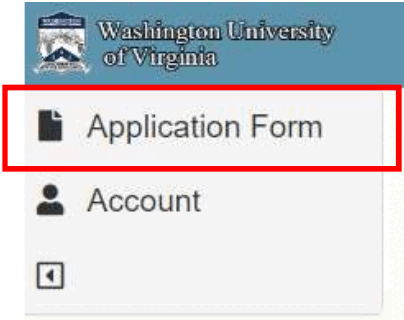
Click "Application Form" from the menu on the left
-
7
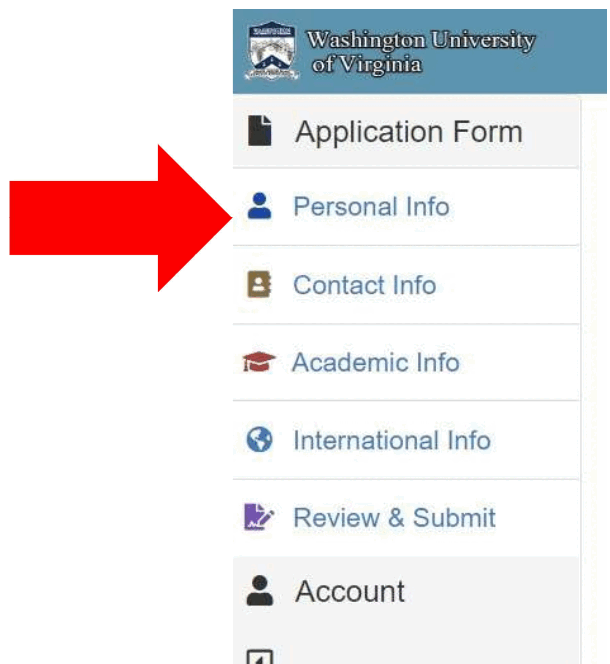
Click Personal Info
-
8
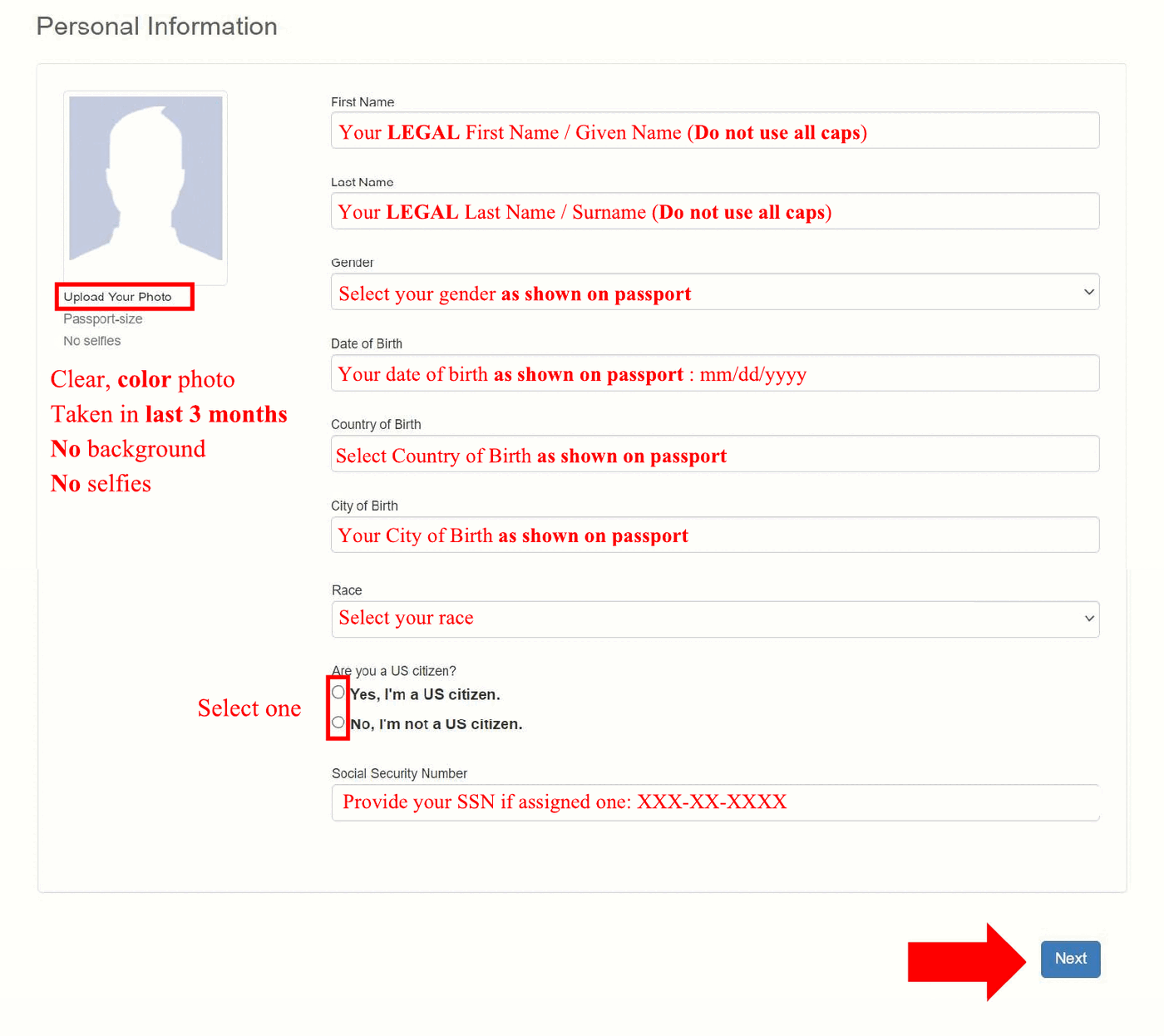
Fill in your personal information as instructed below
-
9
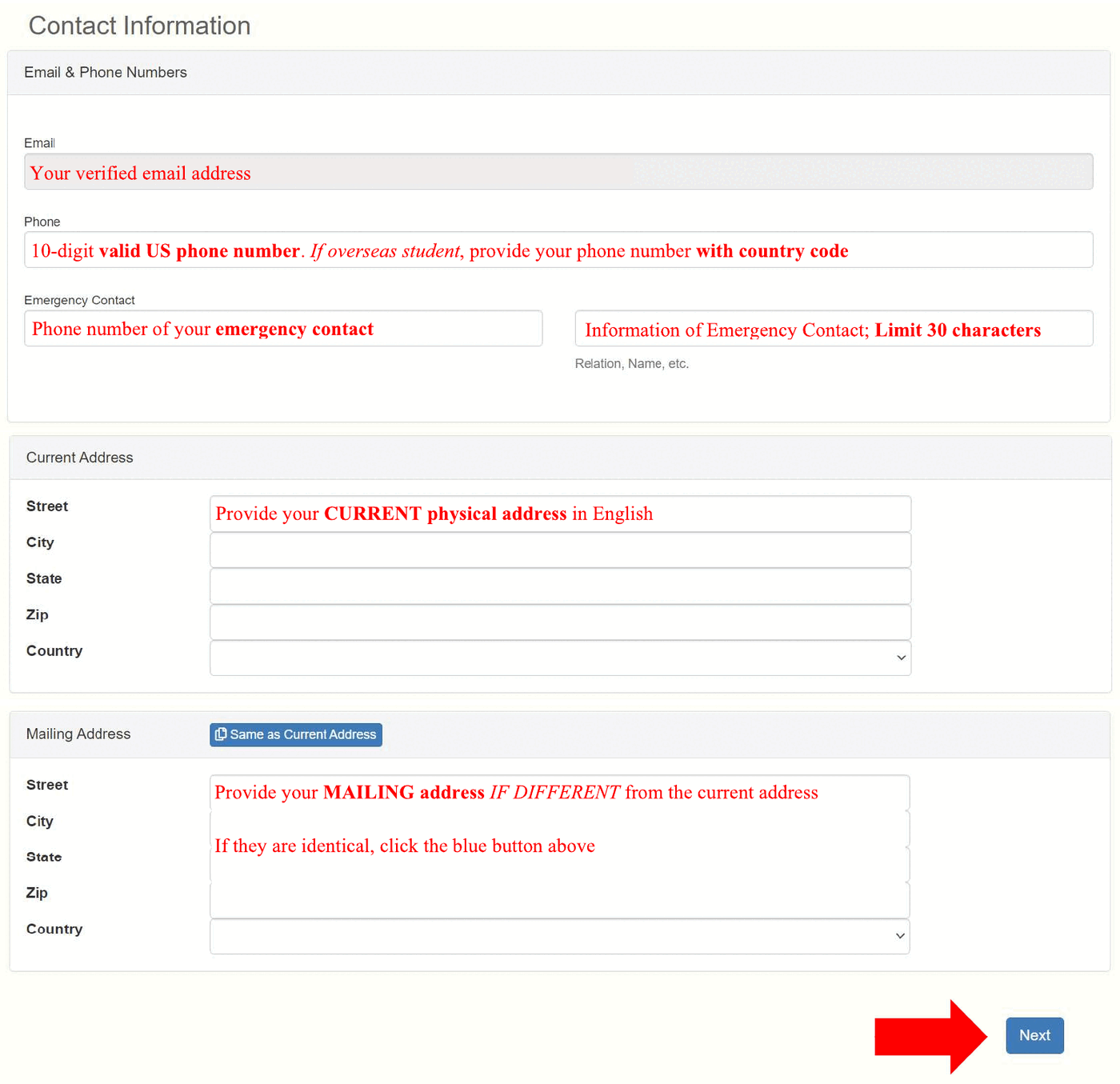
Fill in your contact information as instructed below
-
10
Fill in your academic information as instructed below.

-
11
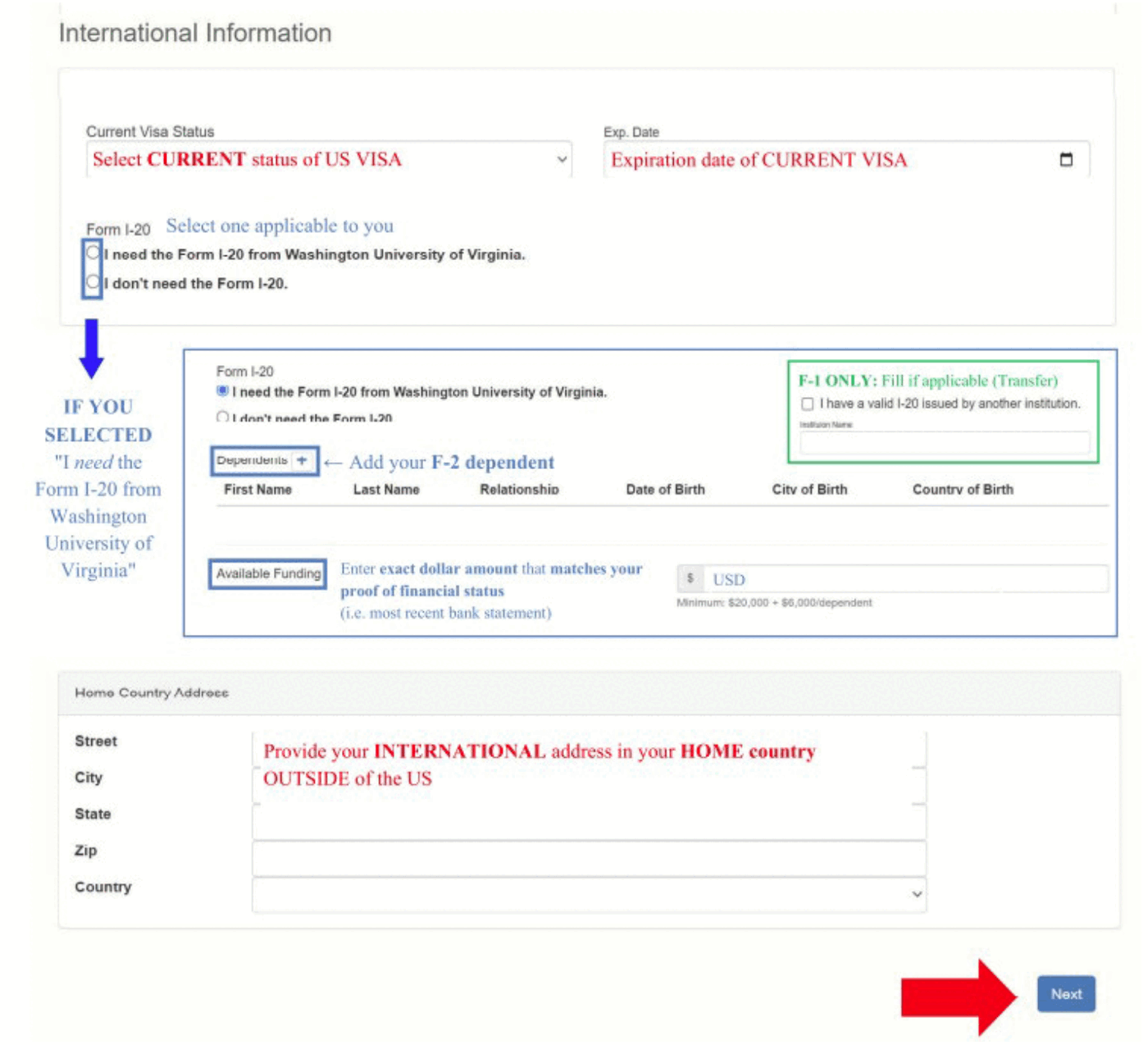
Fill in your international information as instructed below.
-
12
Review all sections to check all information are correct
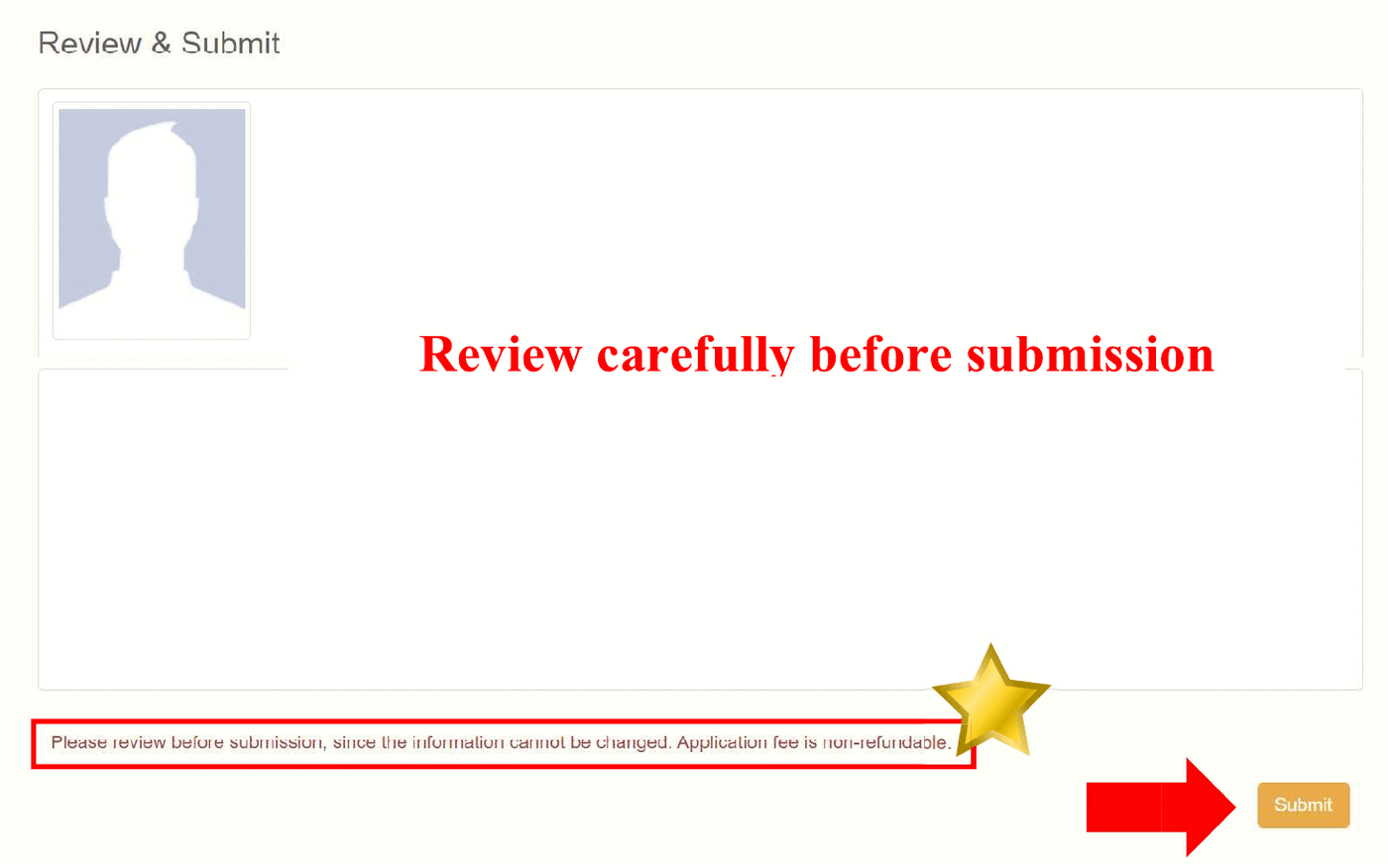
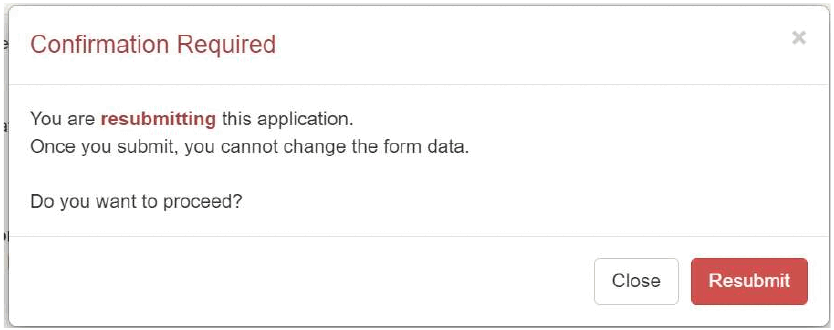
Note: We understand mistakes happen. If you wish to make a change after submission, please let us know and we will re-open your application for a re-submission
-
13
Carefully read Terms and Conditions
Enter payment information for the NON-REFUNDABLE $100 Application Fee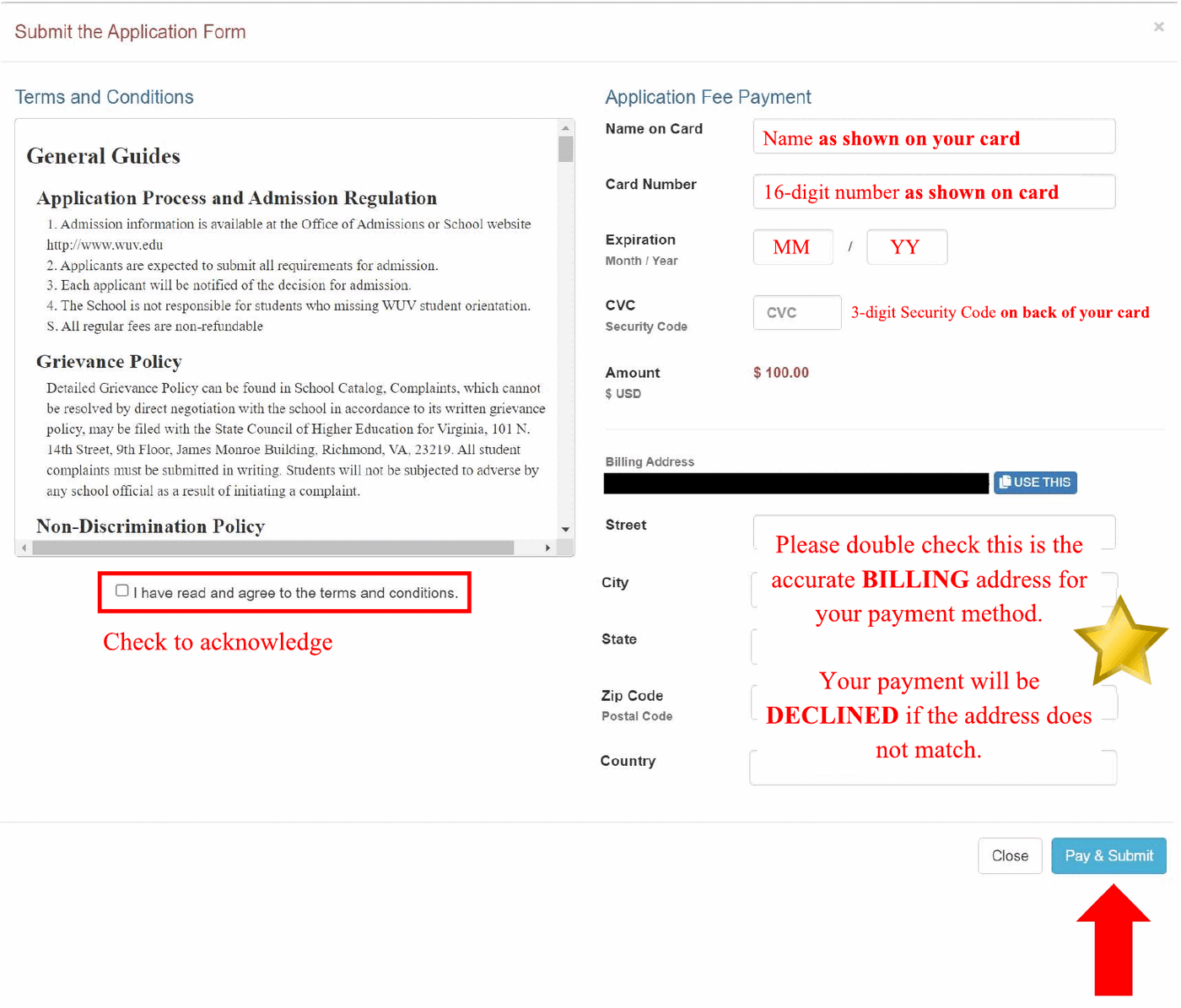
-
14
Once payment is made successfully, you will see this confirmation page
*Notice the new sections added to the menu on left*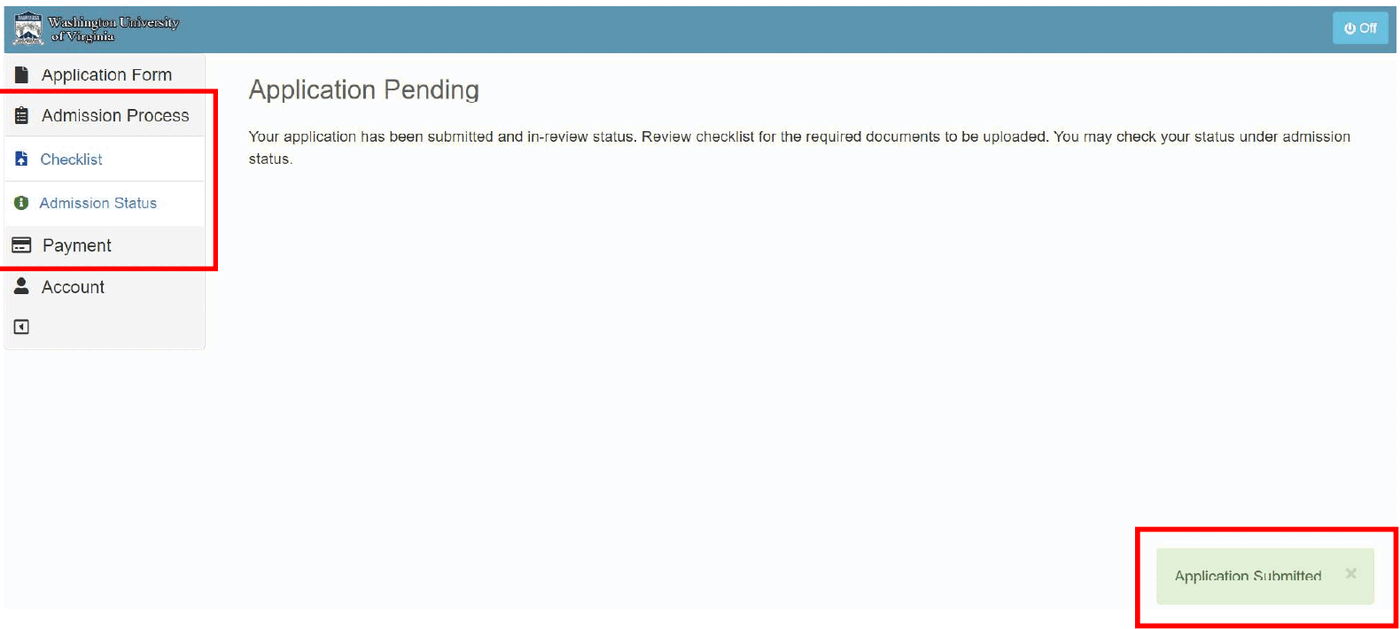
-
15
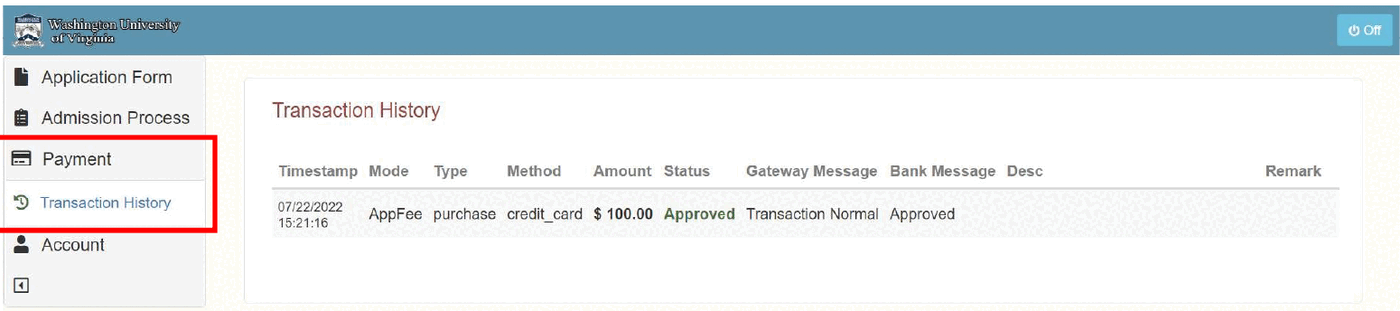
Click "Payment" and "Transaction History" to view the status of payment you just made
Ready to apply?
Select your campus and term to begin your online application.